
![[TUTO] How to Jailbreak TCL SMART TV](https://www.tvosguide.com/wp-content/uploads/2026/01/TCL-SMART-TV-JAILBREAK.png)
This tutorial will teach you how to jailbreak TCL SMART TV and install popular android application not available on google play of google TV.
you will need for this jailbreak TCL SMART TV with internet. 🙂
What is a FireStick Jailbreak ?
When you jailbreak your TCL SMART TV , you get past the restrictions placed on your device when you first purchased it.
The TCL SMART TV jailbreak involves installing third-party applications and services not included in the google play the official store of GOOGLE TV.
Why Do You Jailbreak a FireStick?
The answer to this question is rather simple. You jailbreak your TCL SMART TV to enjoy unlimited/free streaming without having to burn a hole in your pocket.
Jailbreaking brings all the online streaming content within your easy reach. It unlocks the true potential of your FireStick device.
Whether you like to watch movies, TV shows, live TV, sports, or just about anything, jailbreaking makes it possible for you. With a jailbroken AMAZON FireStick TV, you have instant access to whatever you want to watch.
You want to jailbreak your because that makes you a cord-cutter in the true sense.
Is It Legal to Jailbreak AMAZON FireTV Stick ?
Jailbreaking TCL SMART TV is both SAFE and LEGAL.
Step 1:
search DOWNLOADER app
Install Downloader on your TCL SMART TV.
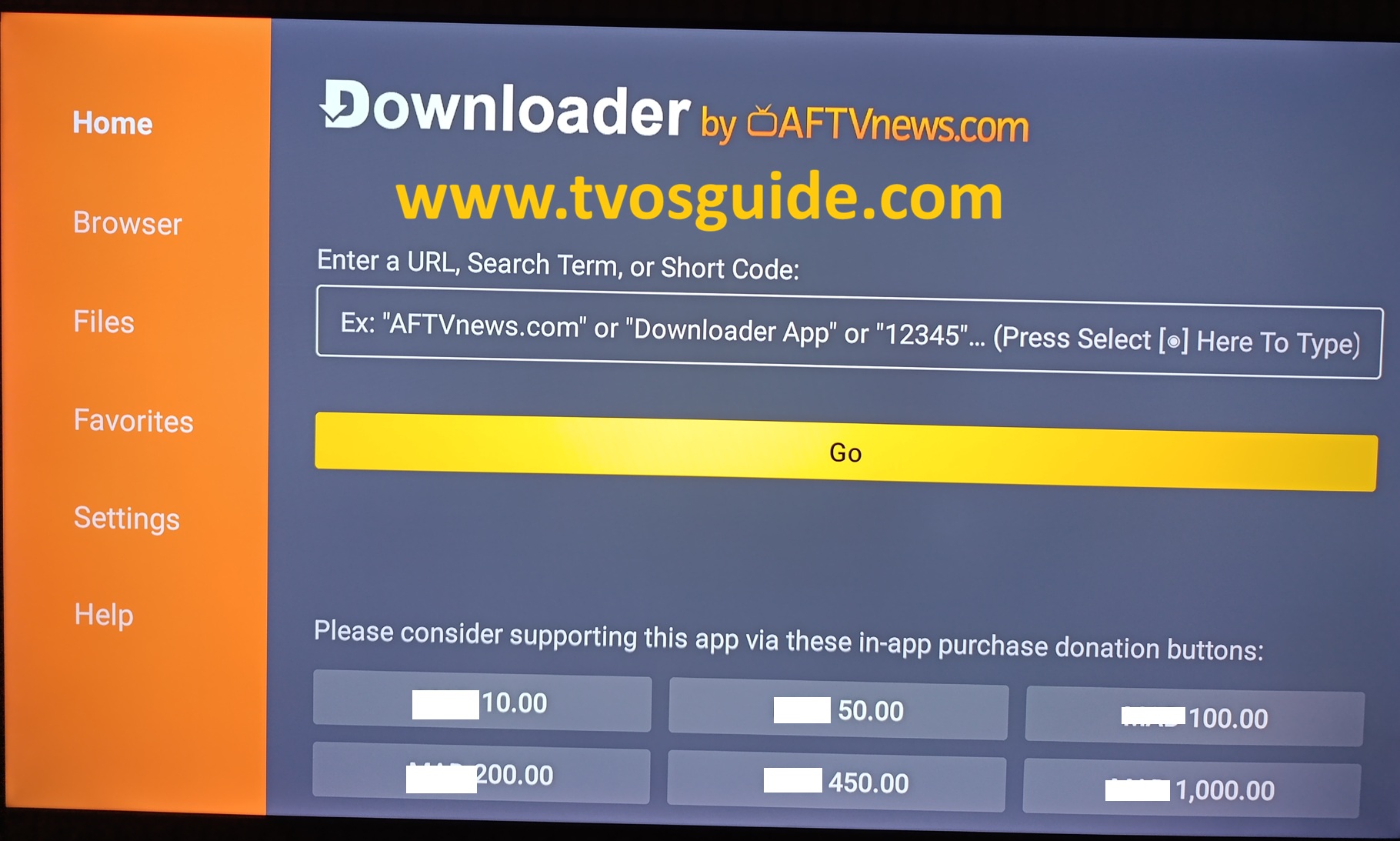
you can download any android application not available on google play of google tv used by TCL.
you have 2 options enter the code of the app or user the browser and search the APK.
the best option is to enter the code number of the application and select GO.
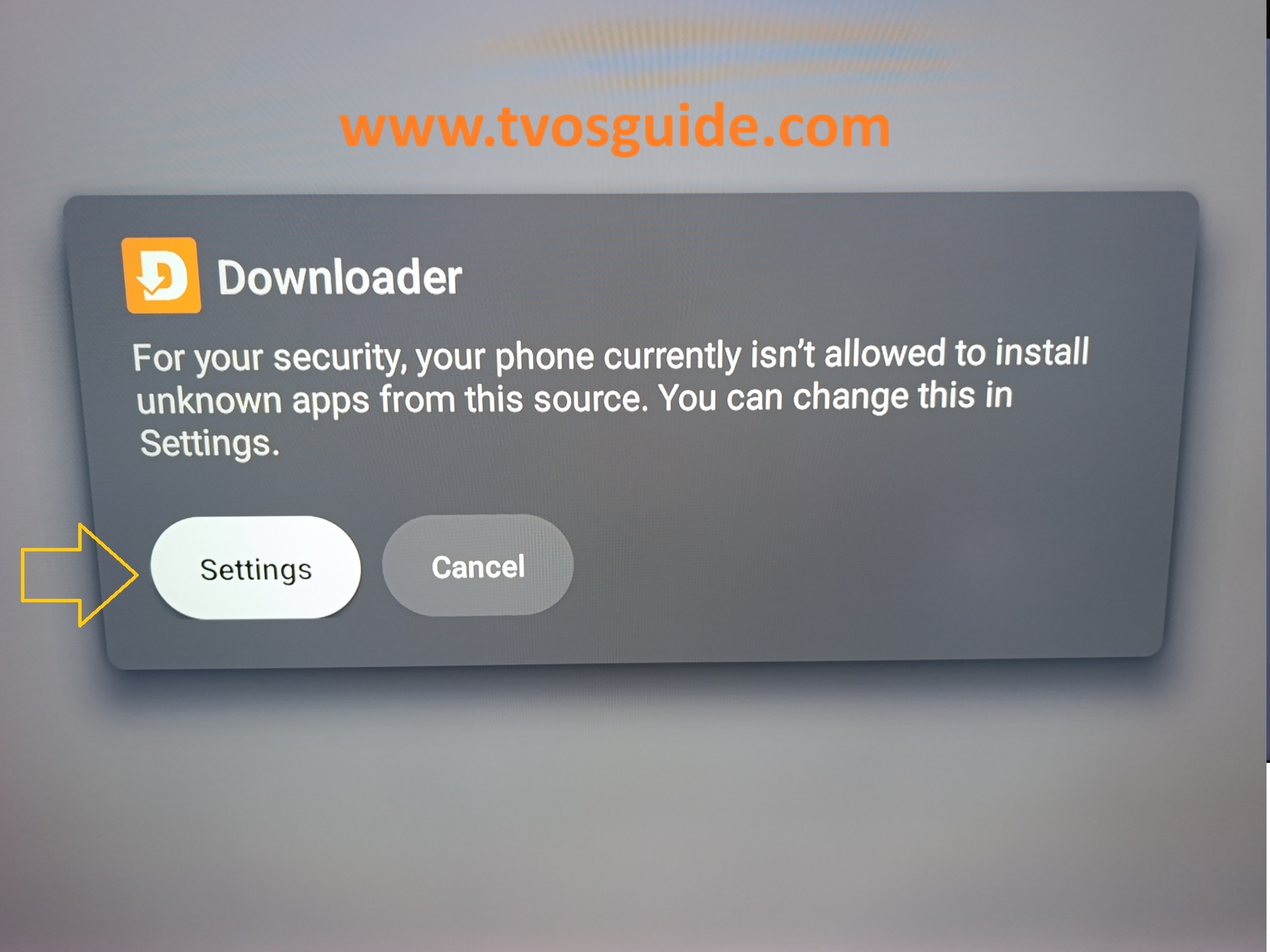
after the download of the APK
you will have this popup.
choose Settings
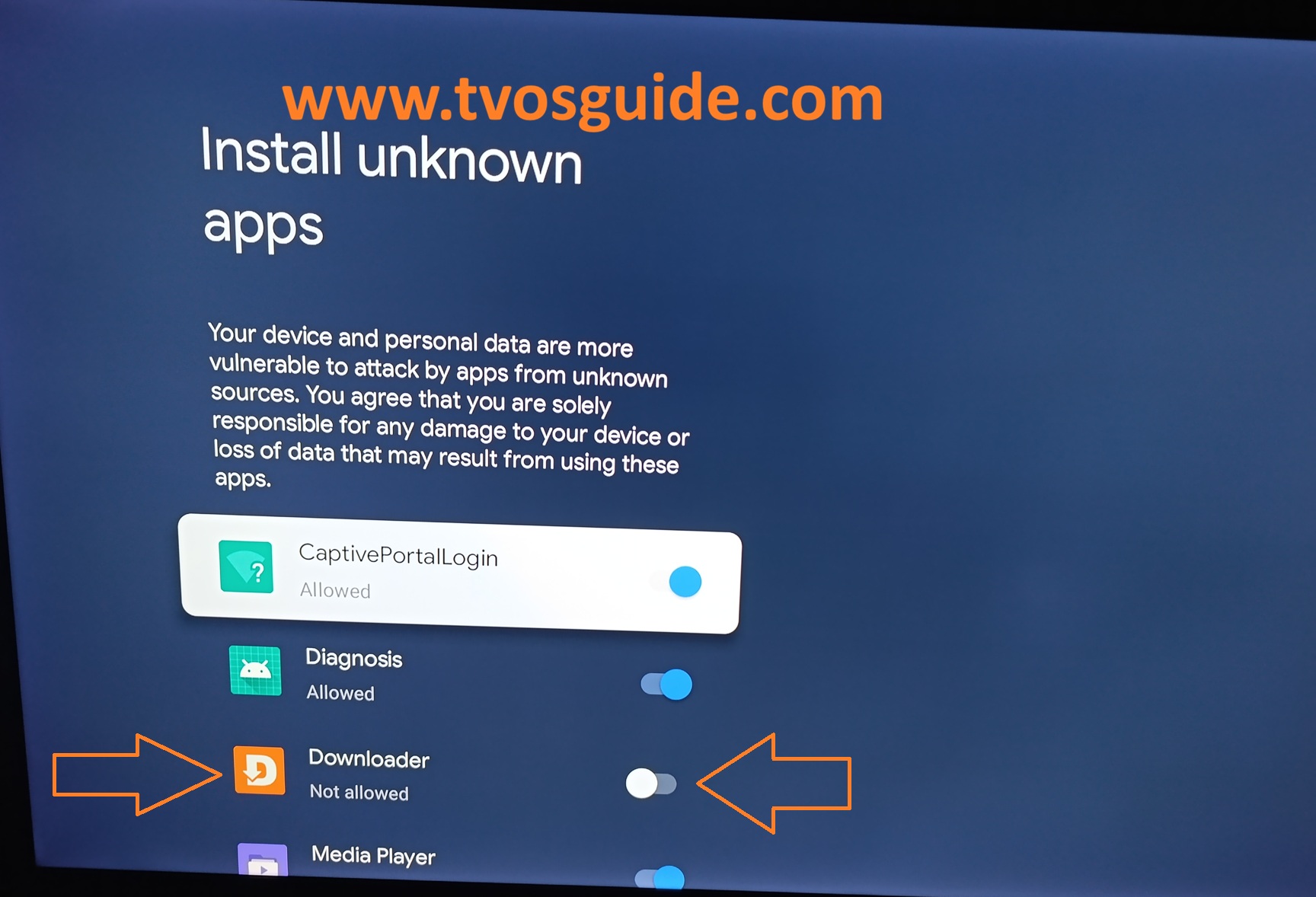
choose Downoader
as you see Downloader app is not allowed to install APK on your TV
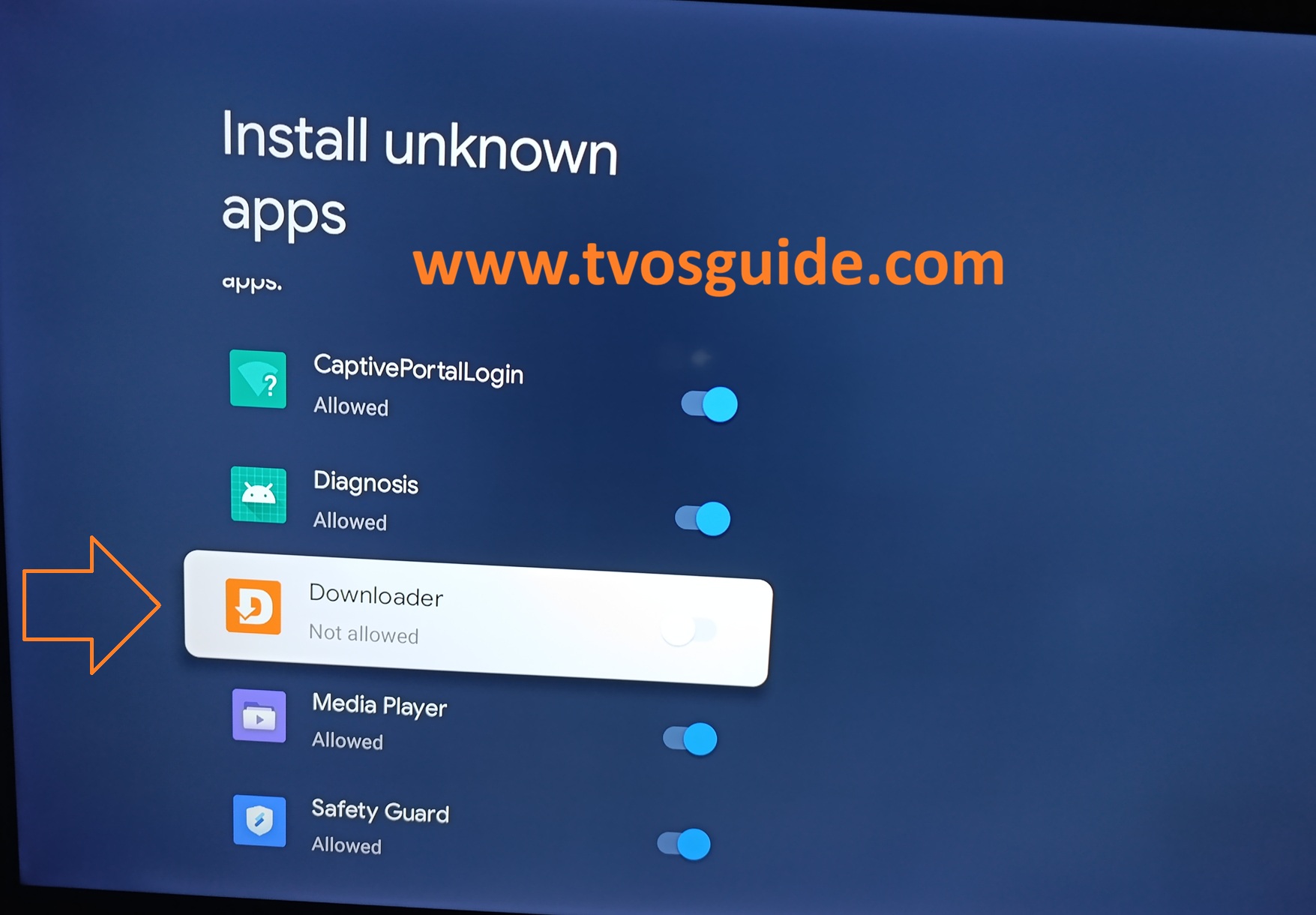
enable Downloader to install APK and back
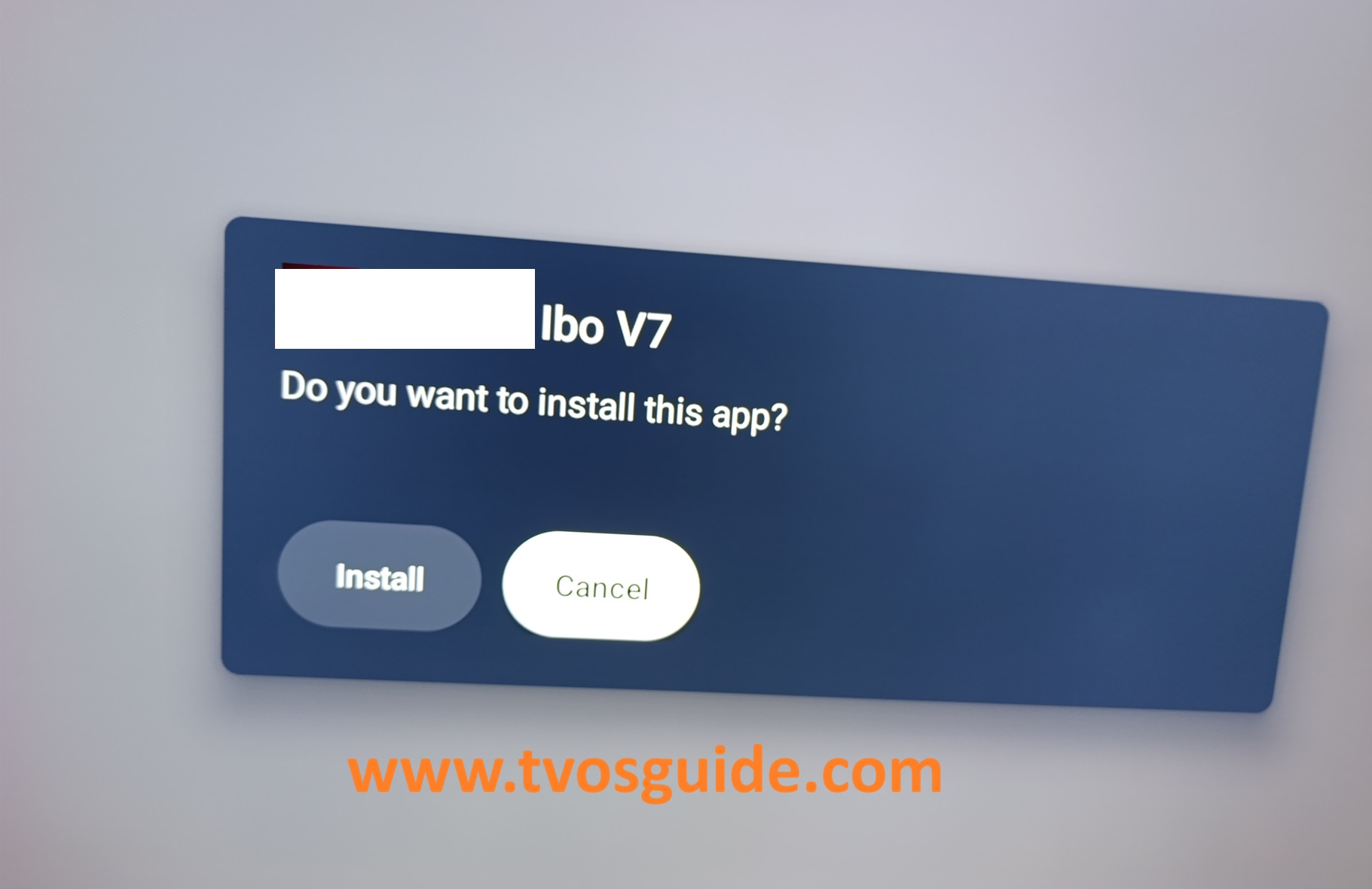
now you can install it
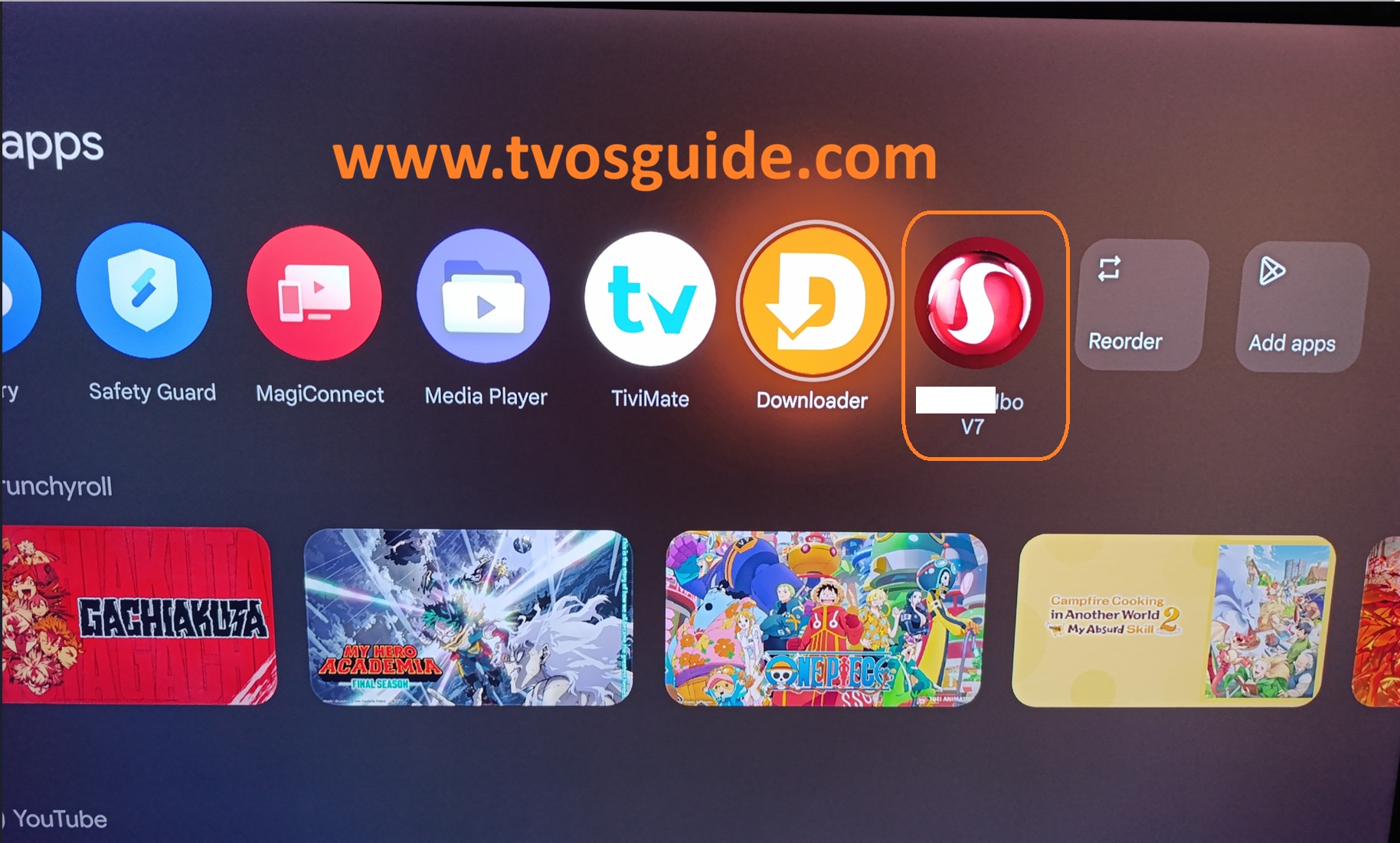
congratulations your APK was installaed with succes.
now you can install any APK.